
How to Upload Music to Spotify: A Guide for Independent Artists
Uploading your music to Spotify may seem like a simple process, but the reality is that there are a number of key steps that determine not only whether your song is published correctly, but also whether you are protecting your rights as an artist.
Most musicians make a critical mistake: uploading their music without having previously protected it. In a digital environment where content is shared, reused and distributed at high speed, this oversight can cost you dearly. That’s why, before talking about distribution, the first step should always be something else.
1. Protect your music before you do anything else.
Before you think about Spotify, playlists or streams, make sure your work is protected and you can prove it’s yours.
This is where Shamusic comes in.
It allows you to register songs with blockchain technology, generating an immutable, verifiable proof of authorship with international legal validity. Thus, in case of plagiarism or conflicts, you have solid evidence of creation.
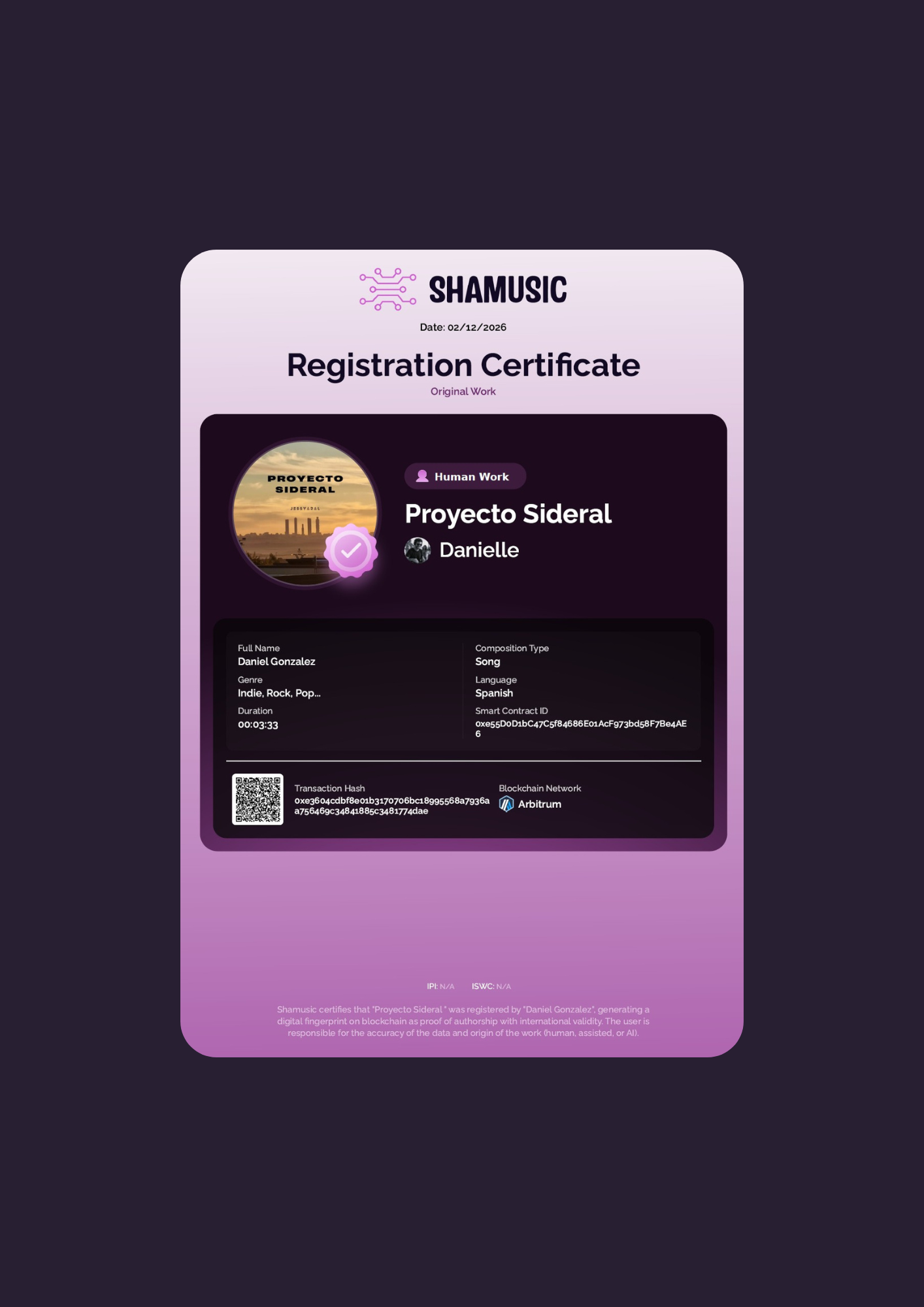
In addition, you can record demos, previous versions or collaborations, leaving a record of the entire creative process.
2. Make sure you have clear rights (especially if there are collaborators).
Once your work is protected, define who has what percentage in the song.
This is key if:
-
You have worked with other composers or producers
-
You have purchased a beat
-
You have made a collaboration
Without clear agreements, conflicts may arise when generating revenue.
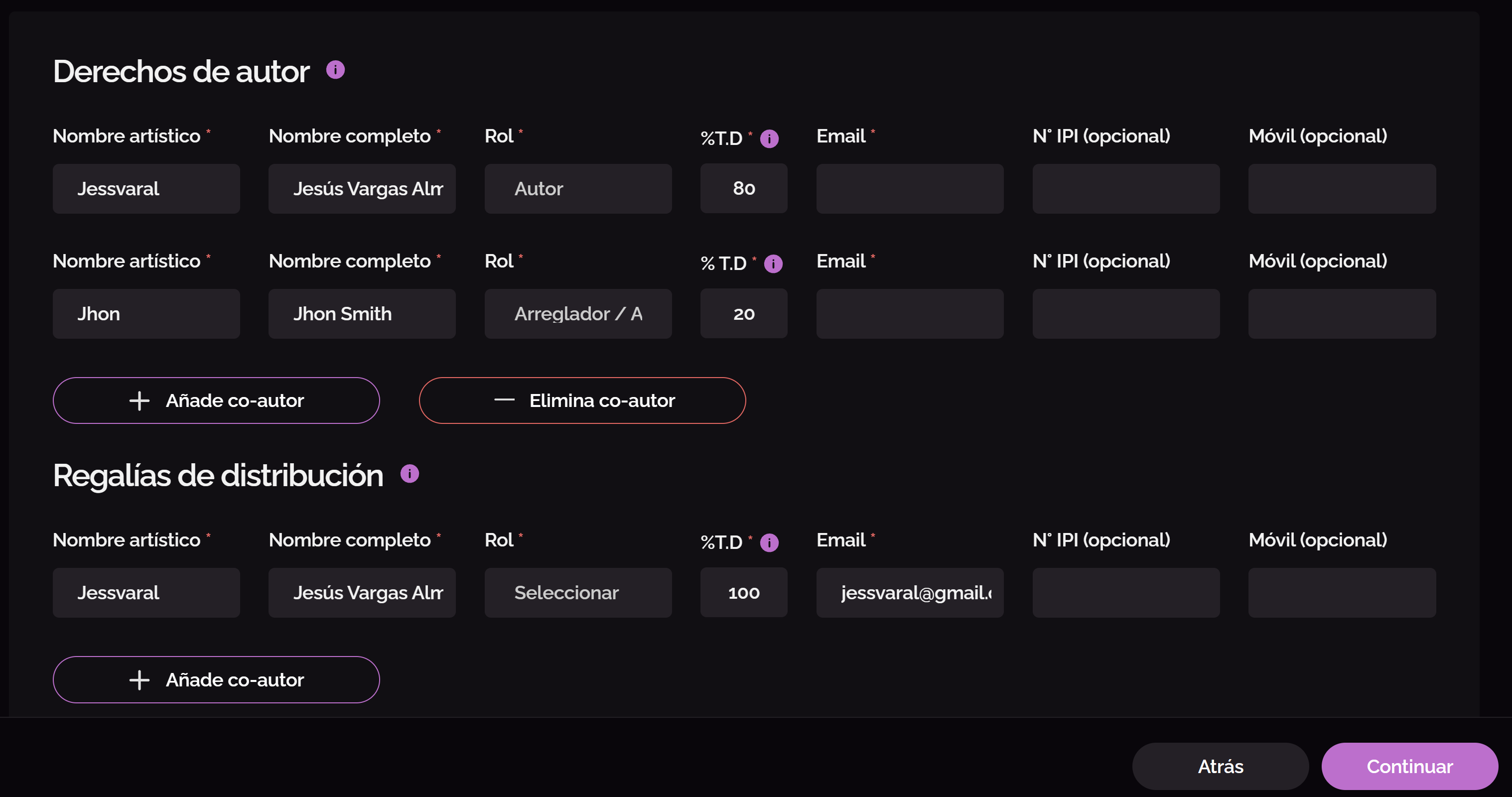
With Shamusic you can also record collaboration agreements, reinforcing your legal security.
3. Prepare your music for distribution
Before uploading your song, comply with these requirements:
-
WAV file (recommended)
-
Minimum 16 bits / 44.1 kHz
-
Cover 3000×3000 px (JPG or PNG)
-
Correct metadata
Any errors here may affect the publication or lead to rejections.Design your cover page
4. Choose a digital distributor
Spotify does not allow you to upload music directly. You need a distributor.
Some acquaintances:
-
DistroKid
-
TuneCore
-
CD Baby
-
Amuse
These platforms send your music to Spotify and other stores.
Remember: the distributor does not protect your authorship, it only distributes.
5. Upload your song to Spotify (through the distributor)
The process is usually:
-
Create an account
-
Upload audio
-
Add cover
-
Complete metadata
-
Choose date
-
Publish
In a few days or weeks, your song will be available.
6. Claim your profile on Spotify for Artists
When you publish, log in to Spotify for Artists to:
-
View statistics
-
Edit profile
-
Add photos and bio
-
Send songs to playlists
It is key to building your career on the platform.
7. Promote your music (and continue to protect it).
Publishing is just the beginning. Then it’s time:
-
Network promotion
-
Marketing
-
Collaborations
-
Growth strategies
And don’t forget to register each new song or cover version before you release it.
If you want to become a Shamusic profile click here